Python KeyError: What It Means and 5 Ways to Fix It
A KeyError means you asked a dictionary for a key it doesn't have. Find the key in the traceback, then use get(), an in check, try/except or defaultdict.
By PC MomentUpdated 5 min read
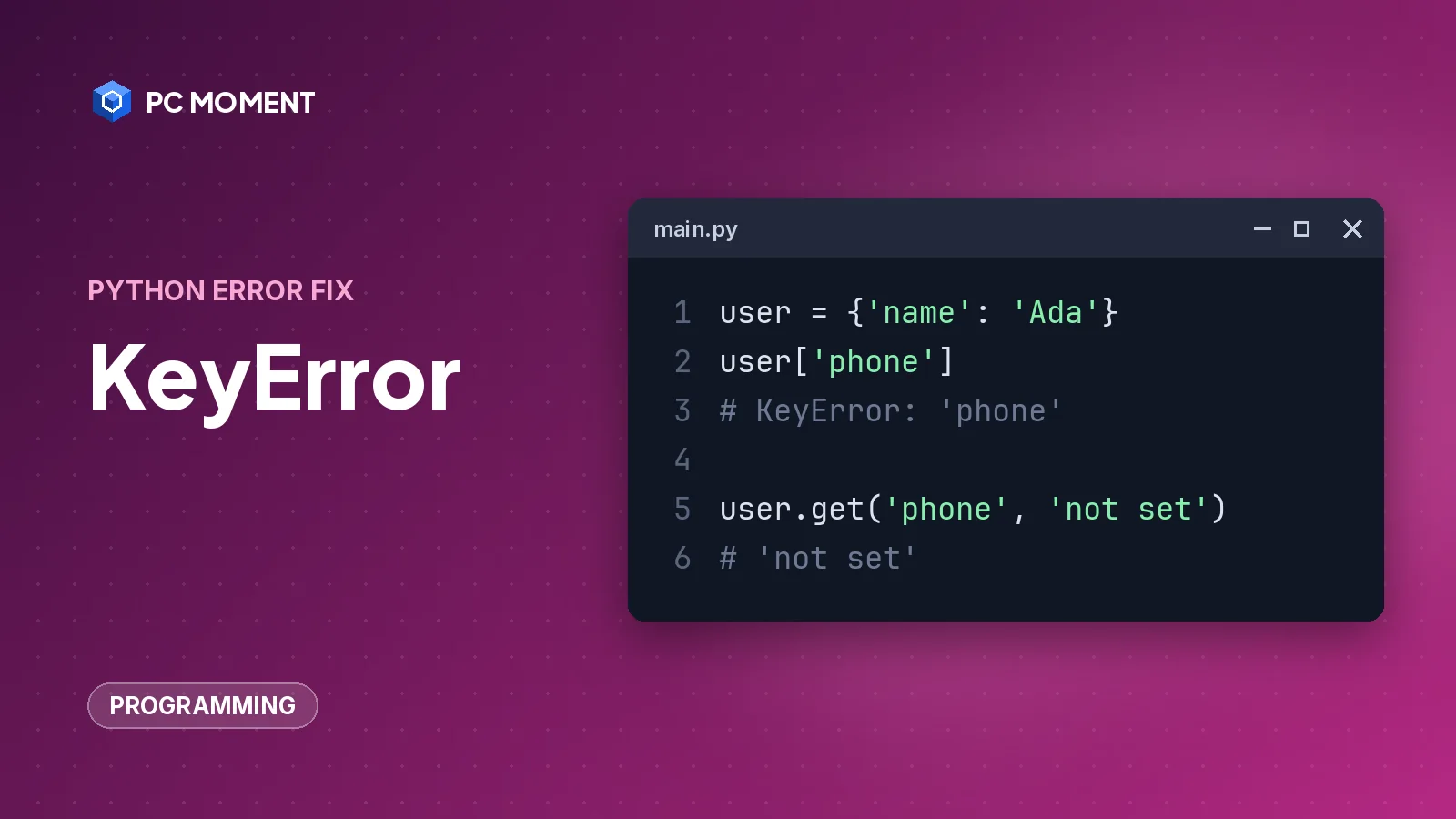
A Python KeyError means your code asked a dictionary for a key that isn’t in it. The last line of the traceback names the missing key, such as KeyError: 'phone'. The quickest fix is d.get("phone", default), which returns a fallback value instead of raising an error.
Before you reach for a fix, decide whether the key is allowed to be missing. If it is, use one of the safe lookups below. If it should always be there, the KeyError is pointing at a real bug, like a typo or bad input, and you should fix that instead of hiding it.
What causes a KeyError?
The Python docs define KeyError as the exception “raised when a mapping (dictionary) key is not found in the set of existing keys.” For a plain dictionary, d[key] raises it whenever the key isn’t there. Common reasons:
- A typo or different capitalization.
"Name"and"name"are different keys. - The wrong type. The integer
1and the string"1"are different keys. This happens a lot with data read from files or JSON. - Optional data. An API response or settings file leaves out a field when it has no value.
- The key was never added, or it was removed earlier with
delorpop(). - Extra whitespace, especially in CSV headers and pandas column names.
How to read the KeyError traceback
Here’s a dictionary without a "phone" key:
user = {"name": "Ada", "email": "[email protected]"}
print(user["phone"])
Running it ends with:
Traceback (most recent call last):
  File "app.py", line 2, in <module>
    print(user["phone"])
          ~~~~^^^^^^^^^
KeyError: 'phone'
Read it from the bottom up:
- The last line gives the exception type and the missing key:
'phone'. - The lines above show the file, the line number and the exact code that failed. Recent Python versions also mark the failing expression with
~and^characters. - If the traceback has more frames, the lowest one in your own code is usually where to look.
To see which keys the dictionary really has, print them just before the failing line:
print(list(user))['name', 'email']Compare that list with the key in the error message, character by character.
How to fix a Python KeyError
| Fix | Use it when |
|---|---|
d.get(key, default) | The key is optional and a fallback value makes sense |
if key in d: | You need to do something different when the key is missing |
try / except KeyError | A missing key is unusual and you want to handle or report it |
collections.defaultdict | You’re building up lists, counts or groups by key |
d.setdefault(key, default) | You want to insert a starting value only if the key is missing |
Fix 1: Use dict.get() with a default
get() returns the value if the key exists and the default if it doesn’t. If you leave out the default, it’s None, and the docs note that get() never raises a KeyError.
phone = user.get("phone")
print(phone)

phone = user.get("phone", "not set")
print(phone)
None
not setTip: Pick a default that can’t be confused with real data. If
Noneor0could be a genuine value, use anincheck instead so you know whether the key was actually there.
Fix 2: Check with in before reading
key in d returns True if the dictionary has that key. Use it when the missing case needs its own code path:
if "phone" in user:
    print(user["phone"])
else:
    print("No phone number on file")
in checks keys, not values, so "Ada" in user is False here.
Fix 3: Catch the error with try and except KeyError
When the key should almost always be there, read it directly and handle the rare failure:
try:
    phone = user["phone"]
except KeyError as err:
    print(f"Missing key: {err}")
Missing key: 'phone'Keep the try block short, ideally just the lookup, so you don’t accidentally catch a KeyError from some other line. If a missing key means your input is invalid, it’s often clearer to raise your own error. Our guide to Python raise exception shows how to turn a KeyError into a clearer custom error with raise ... from.
Fix 4: Use collections.defaultdict for groups and counts
A common source of KeyError is code like groups[letter].append(word) where the list doesn’t exist yet. A defaultdict creates the missing value for you by calling its default factory:
from collections import defaultdict

words = ["apple", "avocado", "banana", "blueberry", "cherry"]
by_letter = defaultdict(list)

for word in words:
    by_letter[word[0]].append(word)

print(dict(by_letter))
{'a': ['apple', 'avocado'], 'b': ['banana', 'blueberry'], 'c': ['cherry']}Two details from the docs are worth knowing:
- Only
d[key]triggers the default factory.get()still returnsNonefor a missing key and doesn’t add it. - Reading a missing key with
d[key]inserts it. That’s what you want for grouping, but it can surprise you if you only meant to look.
For counting, collections.Counter returns a count of zero for missing items instead of raising KeyError.
Fix 5: Use setdefault() to insert a starting value
setdefault() returns the value if the key exists. If not, it inserts the key with your default and returns that. It works on any normal dictionary:
groups = {}
for word in words:
    groups.setdefault(word[0], []).append(word)
The result is the same as the defaultdict example. The collections docs describe the defaultdict approach as simpler and faster than the equivalent setdefault() technique, so prefer defaultdict when you control how the dictionary is created.
KeyError in pandas
pandas raises KeyError too. The pandas docs say .loc raises KeyError when the labels you ask for are not found, and selecting a column that doesn’t exist with df["name"] fails the same way:
KeyError: 'price'First, look at the real column names:
print(df.columns.tolist())If you see something like [' Price ', 'Qty'], the column has spaces and a capital letter. The pandas text docs show how to clean the names with the .str accessor:
df.columns = df.columns.str.strip()After that, df["Price"] works. You can also use df.get("price", default), which returns the default instead of raising, or check first with "Price" in df.columns.
Note: pandas is a third-party package. If
pip install pandasfails because Windows says pip is not recognized, see our fix for pip is not recognized.
If it still doesn’t work
- Print the key and its type.
print(repr(key), type(key))shows hidden spaces and whether you have1or"1". - Look at the raw data. For KeyErrors in nested JSON, paste the response into our JSON formatter to see the real structure and key names.
- Check for nested dictionaries. In
data["current"]["temperature"], either level can be missing. Chainget()calls, such asdata.get("current", {}).get("temperature"), only when both levels are truly optional. - Practice on a real project. The weather app in our Python projects for beginners reads keys from a JSON response, which makes it a good place to add
get()andtry/except KeyError.
For more error fixes and beginner guides, browse the Programming section.
Frequently asked questions
What does KeyError mean in Python?
The Python docs define KeyError as the exception raised when a mapping (dictionary) key is not found in the set of existing keys. The key you asked for is shown in quotes on the last line of the traceback.
How do I avoid a KeyError in a dictionary?
Use d.get(key, default) to get a fallback value instead of an error, check with if key in d before reading, or wrap the lookup in try/except KeyError when a missing key is unusual.
Does dict.get() ever raise KeyError?
No. The docs say get() returns the default when the key is missing, and that default is None if you don't pass one, so get() never raises a KeyError.
Why do I get a KeyError in pandas?
Selecting a column or label that doesn't exist raises KeyError. Check the exact names with df.columns.tolist(); stray spaces and different capitalization are common causes.
Is KeyError the same as IndexError?
No, but they're related. Both derive from LookupError: KeyError is for a missing dictionary key and IndexError is for a list or other sequence index that is out of range.
Related guides

Programming
Python Raise Exception: How to Use raise, Custom Exceptions and raise from
How to raise exceptions in Python: built-in errors like ValueError, custom exception classes, raise from, re-raising and when to use assert instead.
8 min read

Programming
11 Python Projects for Beginners (With Starter Code)
Eleven small Python projects that teach real skills, from a number guessing game to a weather app, each with the modules it uses and starter code.
10 min read
Programming
'pip' Is Not Recognized as an Internal or External Command: How to Fix It on Windows
Windows can't find pip because its folder isn't on PATH. Run py -m pip instead, then fix PATH, the app execution aliases or your virtual environment.
6 min read

Programming
Java printf: Format Specifiers, Width, Precision and Flags
How System.out.printf and String.format work in Java: %d, %s, %f, %n and %x, width and precision, flags, locales and the mistakes that throw exceptions.
7 min read