SSH KexAlgorithms: Fix "No Matching Key Exchange Method Found"
How the OpenSSH KexAlgorithms option works, what the plus (+), minus (-) and caret (^) prefixes do, and how to reach an old device without weakening every connection.
By PC MomentUpdated 6 min read
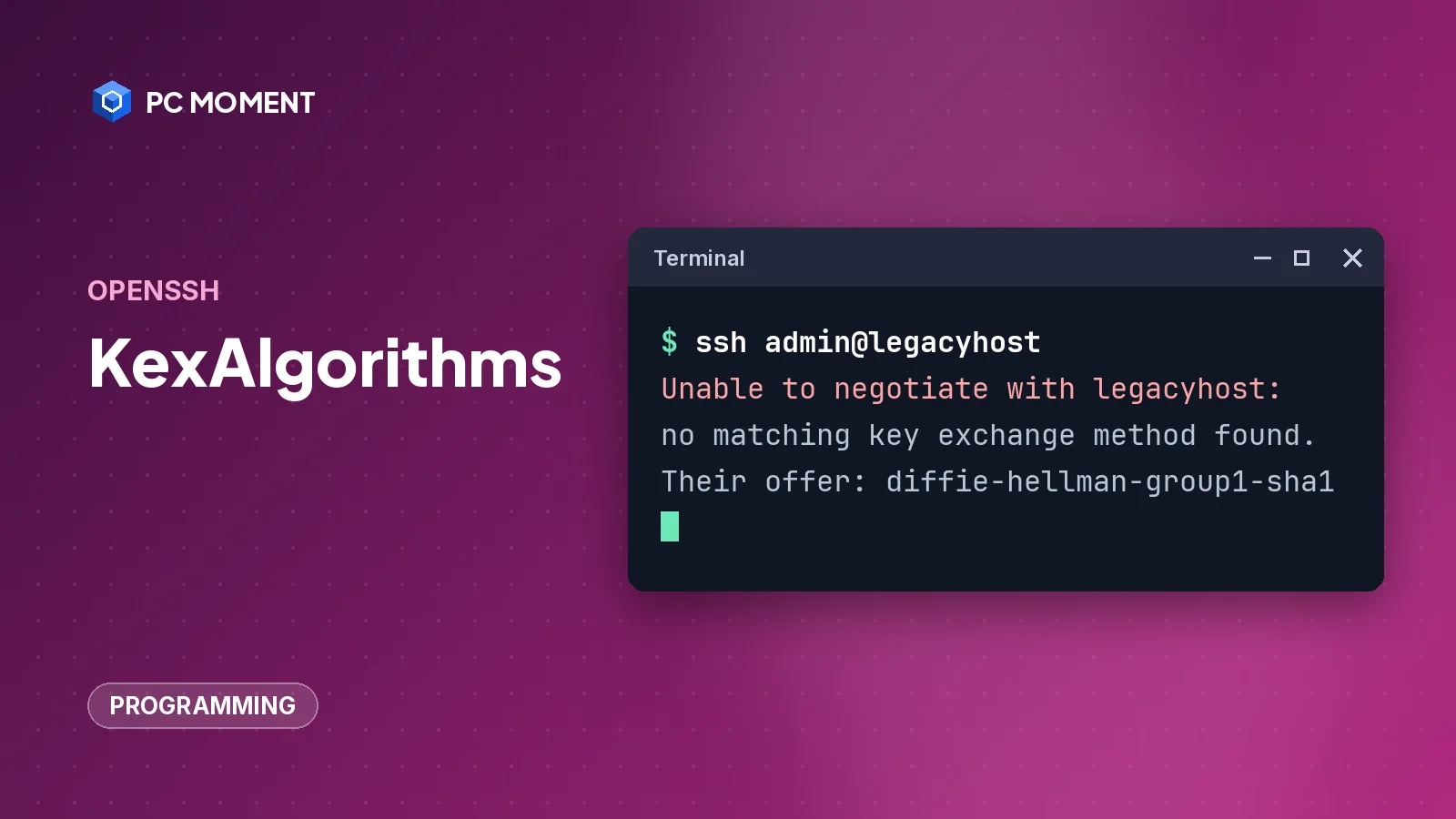
KexAlgorithms is the OpenSSH option that decides which key exchange methods your client (ssh_config) or server (sshd_config) is willing to use. Most people meet it through this error, usually when connecting to an old switch, router, UPS card or appliance:
Unable to negotiate with legacyhost: no matching key exchange method found. Their offer: diffie-hellman-group1-sha1The two sides have no key exchange method in common. The quick, contained fix is a Host block in your SSH config that adds the old method for that one device only. The real fix is to update the device.
What does KexAlgorithms control?
Before any password or key is checked, the client and server agree on a key exchange (KEX) algorithm to set up the encrypted session. Each side has a list of methods it accepts. If the two lists have nothing in common, ssh stops with “no matching key exchange method found”.
That mismatch happens in both directions:
- New client, old server. OpenSSH stopped offering weak methods by default:
diffie-hellman-group1-sha1in OpenSSH 7.0 anddiffie-hellman-group14-sha1in OpenSSH 8.2, according to the OpenSSH release notes. Old embedded devices may offer nothing else. - Old client, new server. OpenSSH 10.0 removed the finite field
diffie-hellman-group*anddiffie-hellman-group-exchange-*methods from the server’s default list. The client still supports them by default. An old client that only knows those methods can’t reach an updated server.
KexAlgorithms syntax
The value is a comma-separated list. The first character decides how it combines with the built-in defaults, per the ssh_config and sshd_config manual pages:
| Prefix | Example | What it does |
|---|---|---|
| none | KexAlgorithms curve25519-sha256 | Replaces the default list completely |
+ | KexAlgorithms +diffie-hellman-group14-sha1 | Appends the methods to the default list |
- | KexAlgorithms -diffie-hellman-group14-sha256 | Removes the methods (wildcards allowed) from the default list |
^ | KexAlgorithms ^curve25519-sha256 | Moves the methods to the front of the default list |
Tip: Use
+,-or^unless you have a reason to pin an exact list. A list with no prefix also blocks every new default that future OpenSSH updates would add.
Common method names you’ll see in errors and in the manual pages:
| Algorithm | Status in current OpenSSH |
|---|---|
mlkem768x25519-sha256 | Default first choice since OpenSSH 10.0 (post-quantum hybrid) |
sntrup761x25519-sha512 | In the default list (post-quantum hybrid) |
curve25519-sha256 | In the default list |
ecdh-sha2-nistp256, -nistp384, -nistp521 | In the default list |
diffie-hellman-group14-sha256, group16-sha512, group18-sha512 | Client default only; removed from the server default in 10.0 |
diffie-hellman-group-exchange-sha256 | Client default only; removed from the server default in 10.0 |
diffie-hellman-group14-sha1 | Supported but off by default since 8.2 |
diffie-hellman-group1-sha1 | Supported but off by default since 7.0; weak |
How to fix “no matching key exchange method found”
Step 1: Read the error
Note the host name and the method after Their offer:. That’s the list the other side supports. If you need more detail, run the connection in verbose mode:
ssh -v admin@legacyhost-v prints debugging messages about each stage of the connection; add up to three (-vvv) for more.
Step 2: Check what your client supports
ssh -Q kexThis lists every key exchange method your ssh build supports, including ones that are off by default. If the method in “Their offer” isn’t listed at all, no config change will help: your client was built without it, and you’ll need a different client or an updated device.
Step 3: Test once with -o
Try the method for a single connection without changing any file:
ssh -oKexAlgorithms=+diffie-hellman-group1-sha1 admin@legacyhost-o takes any config file option on the command line. The + keeps all the modern defaults and only adds the old method to the end of the list.
Step 4: Make it permanent for that host only
Important: Weak key exchange methods such as
diffie-hellman-group1-sha1are disabled because OpenSSH considers them weak; the OpenSSH legacy page describesdiffie-hellman-group1-sha1as within theoretical range of the Logjam attack. Never add them toHost *or to the system-wide file. Scope them to oneHostblock for the one device that needs them, and treat it as temporary until the device is updated or replaced.
Open your user config file: ~/.ssh/config on Linux and macOS, %userprofile%\.ssh\config on Windows (Windows 10 version 1809 and later ship the OpenSSH client). Add:
Host legacyhost legacyhost.example.org
    KexAlgorithms +diffie-hellman-group1-sha1
Settings under a Host line apply only to hosts matching its patterns, up to the next Host or Match line. For each option, ssh uses the first value it finds, so put specific Host blocks above any general Host * section at the end of the file.
If the error then changes to “no matching host key type found. Their offer: ssh-dss”, the device also uses an old host key type, controlled by HostKeyAlgorithms. OpenSSH 10.0 removed DSA support entirely, so on 10.0 and later +ssh-dss can’t help; updating the device or using an older client on an isolated machine are the remaining options.
Step 5: Confirm what ssh will use
ssh -G legacyhost | grep -i kexalgorithms-G prints the configuration ssh would use for that host after evaluating Host and Match blocks, then exits without connecting. The old method should appear at the end of the list for legacyhost only. Run it again with another host name to confirm the change didn’t leak.
Git uses ssh for SSH remotes, so the same Host block also covers git fetch and git push to an old self-hosted Git server. If a push still fails after the connection works, see git push set upstream and fatal: not a git repository for the usual Git-side errors.
APC UPS and PDU network management cards are a common reason to reach for SSH on an old device. If the card’s web page says another user already has the only session, see someone is currently logged into the APC Management Web Server for how to get in over SSH and restart only the management interface.
Change KexAlgorithms on the server
If you manage the server, the same syntax works in sshd_config (/etc/ssh/sshd_config on most Linux systems, %programdata%\ssh\sshd_config on Windows).
Important: Editing
sshd_configchanges security settings for everyone who connects, and a typo can lock you out of a remote server. Keep your current session open while you test, and edit the Windows file from an elevated command prompt or an admin PowerShell window.
- To remove a method you don’t want, for example the SHA-1 variants:
KexAlgorithms -*-sha1- Check the file before restarting:
sudo sshd -t-t only checks that the configuration file is valid. sudo sshd -T | grep -i kexalgorithms goes further and prints the effective settings.
- Restart the SSH service so it rereads the file. On Windows, in an admin PowerShell window:
Restart-Service sshd- Open a new session to confirm you can still connect before you close the old one.
The post-quantum warning in OpenSSH 10.1 and later
Since OpenSSH 10.1, ssh warns when a connection uses a key exchange method that isn’t post-quantum, such as curve25519-sha256:
** WARNING: connection is not using a post-quantum key exchange algorithm.This isn’t a failure; the session still connects. The fix is to update the server so it offers mlkem768x25519-sha256 or sntrup761x25519-sha512. If you can’t, openssh.org suggests silencing it only for that host with a Match host block and WarnWeakCrypto no-pq-kex, rather than turning it off everywhere.
If it still doesn’t work
- Compare both lists. “Their offer” against
ssh -Q kex. If they share nothing, the client can’t connect no matter what the config says. - Check for a typo or wrong block. Run
ssh -Gfor the host; if the method isn’t in the output, yourHostpattern doesn’t match the name you typed, or an earlier block setKexAlgorithmsfirst. - Look at other algorithm types. After the key exchange, ciphers, MACs and host key types must also match.
ssh -vvvshows which step fails. - Update the device. OpenSSH recommends upgrading the software at the other end as the best fix. Check the vendor’s firmware page.
For more developer fixes, browse the programming guides. Running ssh from Windows? The Command Prompt shortcuts guide makes rerunning long commands quicker.
Frequently asked questions
What does KexAlgorithms do in SSH?
It sets which key exchange methods ssh or sshd will offer and accept when a connection starts. Both sides must share at least one method, or the connection fails with "no matching key exchange method found".
What do the plus (+), minus (-) and caret (^) prefixes do in KexAlgorithms?
A list starting with + adds algorithms to the default set, a minus sign (-) removes them (wildcards allowed), and ^ moves them to the front of the default set. A list with no prefix replaces the defaults completely.
How do I see which key exchange algorithms my SSH client supports?
Run ssh -Q kex. To see the list ssh will actually offer to a given host after reading your config files, run ssh -G followed by the host name and look at the kexalgorithms line.
Is it safe to enable diffie-hellman-group1-sha1?
No. OpenSSH disabled it by default in version 7.0 because it is weak. If you must reach an old device that offers nothing else, enable it only for that one host in a Host block, and plan to upgrade or replace the device.
Why did connections to my updated server stop working for old clients?
OpenSSH 10.0 removed the finite field diffie-hellman-group* and diffie-hellman-group-exchange-* methods from the server's default list. Clients that only support those methods need an update, or the server admin has to add one back in sshd_config.
Related guides
Programming
Git Push Set Upstream: Fix "The Current Branch Has No Upstream Branch"
Fix "fatal: The current branch has no upstream branch" with git push -u, set tracking on an existing branch, and make Git set the upstream for you.
5 min read
Programming
Error: src refspec main does not match any (and master): How to Fix It
Git can't push main or master because that branch doesn't exist locally yet. Make your first commit, match the branch name, and push again.
5 min read

Programming
Fatal: Not a Git Repository: What It Means and How to Fix It
Git says "fatal: not a git repository" when it can't find a .git folder. Here's how to find the right folder, start a repository, and fix GIT_DIR, submodule and ownership problems.
7 min read
Programming
Git Rename Local Branch (and the Remote Branch Too)
Rename a local Git branch with git branch -m, then update the remote branch and its upstream, rename it on GitHub, or switch master to main.
5 min read